API Overview
In the top left-hand corner, in the second menu level, you can see the name and image of the API in the cache and also the current deployment status. The concept behind deployments is explained here: Deploy APIs, API Products, Plans, Applications and Subscriptions
Overview of the API
A compact overview of your API. The options depend on the type of API.
REST APIs
For REST APIs, you can see the scoring of the latest version of the API and statistics about the last 7 days.
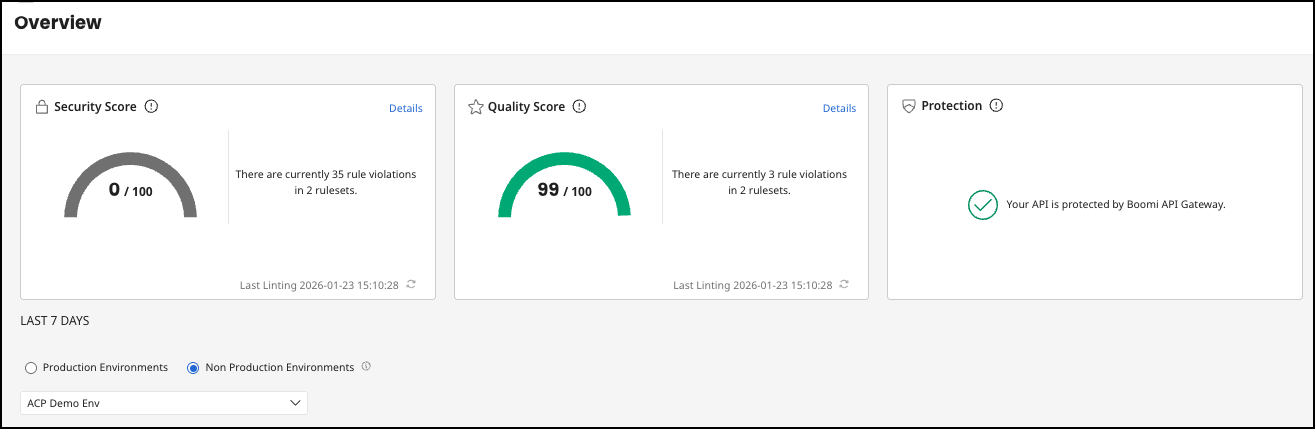
The quality and security scores are calculated on the basis of the rule sets and a new validation can also be started. You can access the current version via details in Security Score and Quality Score. In Protection you can see in which different platforms the API is running.
The scores are generated during the Specification File Validation.
GraphQL APIs
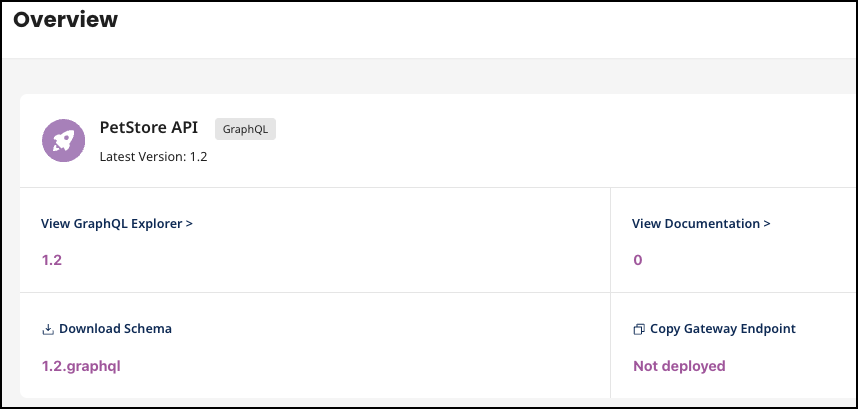
For GraphQL APIs, there are links to interact with the API via the GraphQL explorer, documentation, schema download, and endpoint information.
Last 7 Days Metrics
The last seven days are compared with the seven days before to give you a first impression of the API's performance development.
Toggle options for Production Environments and Non Production Environments, indicating the ability to filter analytics based on the deployment environment. You can also select the specific environment within a production or non production environment.
